Accent Cloud Phone1.4.7
Publisher Description


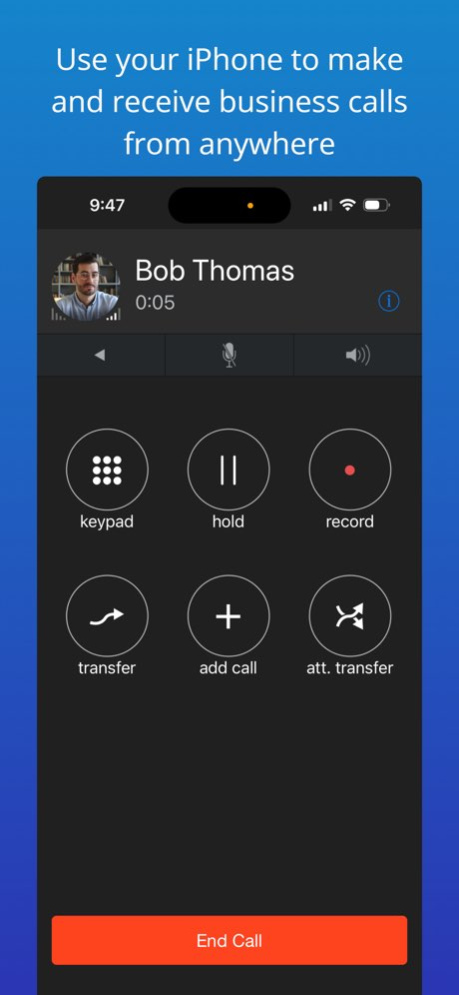

Accent Cloud Phone is the modern cloud phone system app built for today's business, an award-winning cloud service which keeps you connected to your business phone system wherever you go. The Accent Cloud Phone app provides mobile business calling from your cloud phone extension and your business phone number while on the go utilizing the Accent cloud phone system.
Download the Accent Cloud Phone app today and stay connected and communicating:
. Make and receive business calls using Wi-Fi, cellular Internet, or cellular voice
. Access your business voicemails from anywhere
. Integrated one-touch dialing from your company or personal directory
. Park and pickup calls with ease via the app
. View real-time phone presence of your co-workers and colleagues
. Receive full support and technical assistance from Accent's dedicated U.S. based support team
The Accent Cloud Phone app is for use with the Accent's cloud phone system and cloud communication services. You can learn more about Accent and our cloud services at https://www.accentvoice.com.
Version History Stability enhancements of the application 1.4.7 10/17/2025 Call transfers improvement
Translation improvement
Stability enhancements of the application 1.4.5 09/06/2024 Updated support for iOS 17
Improved Siri Integration
General App improvements and additional bug fixes. 1.4.4 03/21/2024 Performance update 1.3 10/24/2023 1.2 10/17/2023
About Accent Cloud Phone
The company that develops Accent Cloud Phone is Accent Communications Services, Inc.. The latest version released by its developer is 1.4.7.
To install Accent Cloud Phone on your iOS device, just click the green Continue To App button above to start the installation process. The app is listed on our website since 2026-10-13 and was downloaded 2 times. We have already checked if the download link is safe, however for your own protection we recommend that you scan the downloaded app with your antivirus. Your antivirus may detect the Accent Cloud Phone as malware if the download link is broken.
How to install Accent Cloud Phone on your iOS device:
- Click on the Continue To App button on our website. This will redirect you to the App Store.
- Once the Accent Cloud Phone is shown in the iTunes listing of your iOS device, you can start its download and installation. Tap on the GET button to the right of the app to start downloading it.
- If you are not logged-in the iOS appstore app, you'll be prompted for your your Apple ID and/or password.
- After Accent Cloud Phone is downloaded, you'll see an INSTALL button to the right. Tap on it to start the actual installation of the iOS app.
- Once installation is finished you can tap on the OPEN button to start it. Its icon will also be added to your device home screen.
Program Details
System requirements
Download information
Pricing
Version History
version 1.4.7
posted on 2026-10-13
Version History Stability enhancements of the application 1.4.7 10/17/2025 Call transfers improvement
Translation improvement
Stability enhancements of the application 1.4.5 09/06/2024 Updated support for iOS 17
Improved Siri Integration
General App improvements and additional bug fixes. 1.4.4 03/21/2024 Performance update 1.3 10/24/2023 1.2 10/17/2023
version 1.4.7
posted on 2025-10-17
Stability enhancements of the application
